

Manual mode
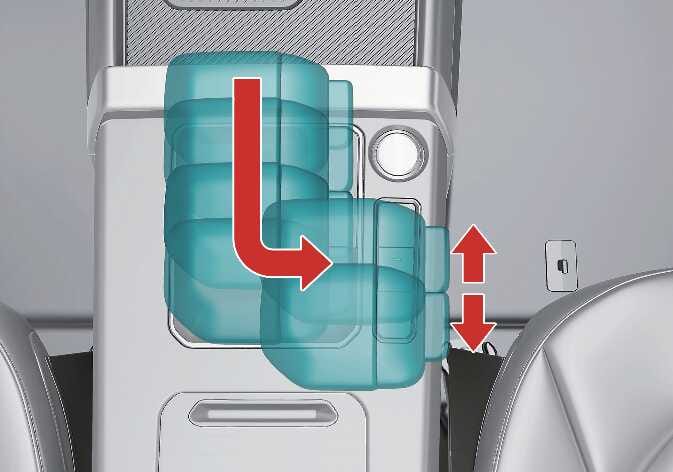
In manual mode, moving the shift lever forward or backward allows quick gear changes. Unlike manual transmission, gearshifts can be made even whilst the accelerator pedal is depressed.
 N_SP3i25_C09_006_IR |
Select manual mode by pushing the gear shift lever from D (Drive) into the manual gate. To return to D (Drive) range operation, push the gear shift lever back into the main gate.
In manual mode, moving the shift lever back and forth allows you to shift gears rapidly. Unlike a manual transmission, manual mode allows you to shift gears whilst engaging the accelerator pedal.
-
Up (+): Push the lever forward once to shift up 1 gear.
-
Down (-): Pull the lever backward once to shift down 1 gear.
-
Shift the gear upward according to the driving conditions, taking care to keep the engine speed (rpm) appropriately.
-
You can only select 7 forward gears. To reverse or park your vehicle, move the gear shift lever to R (Reverse) or P (Park) as required.
-
The gear shifts down automatically when you slow down your vehicle. When you stop your vehicle, the 1st gear is selected automatically.
-
When the engine speed (rpm) is too high, the gear shift points are varied to shift up automatically.
-
To maintain the required levels of vehicle performance and safety, the system may not execute certain shifts between gears when you operate the gear shift lever.
-
When driving on a slippery road, push the gear shift lever forward into the Up (+) position so that the transmission shifts up 1 gear, which helps with smooth driving on slippery roads. To shift back, push the gear shift lever into Down (-) position.